Quoting software for builders and trades
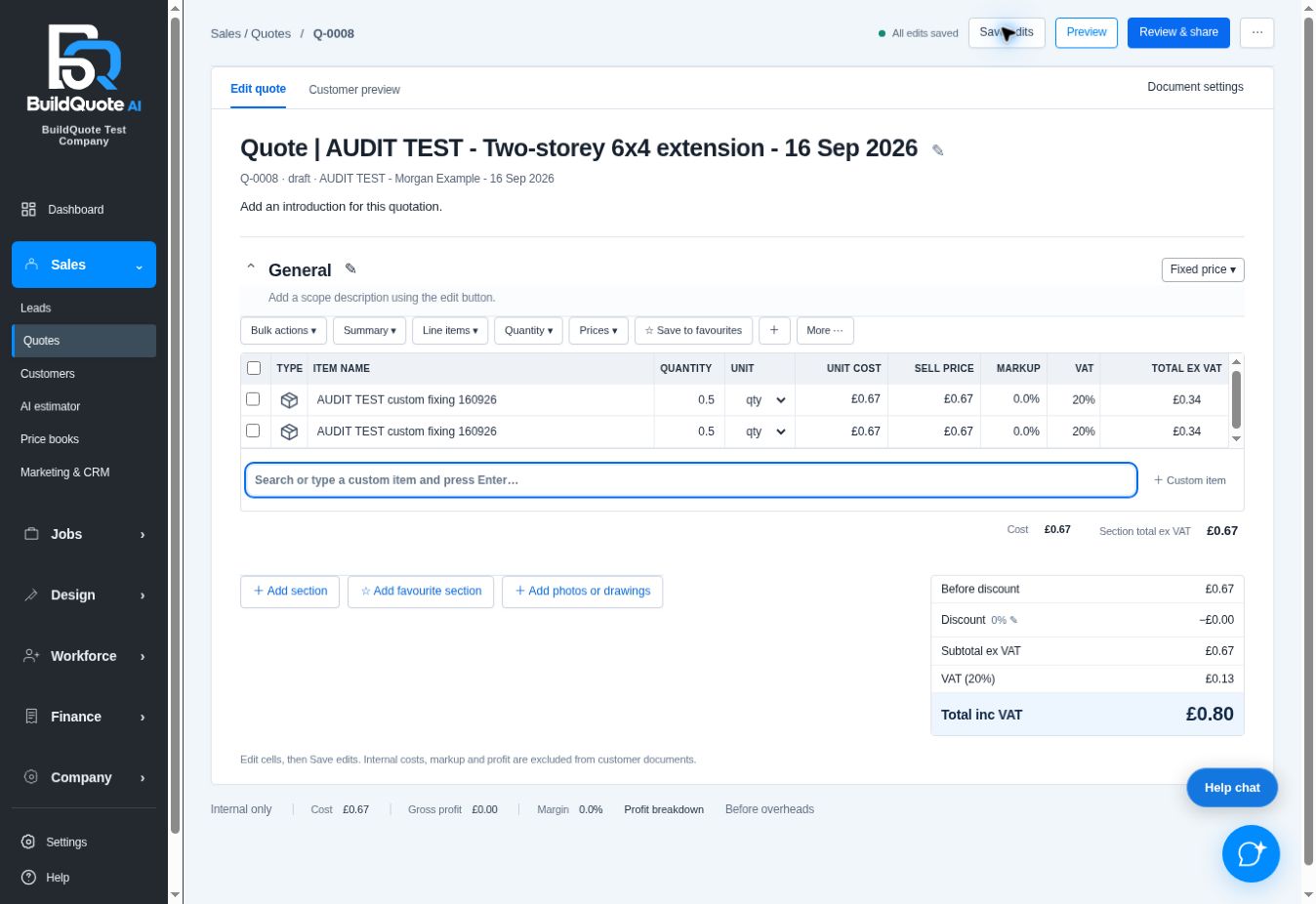
Edit line items, organise sections, change quantities and prices, and review markup, VAT and totals in one worksheet.
The detail stays in your hands.
Keep the internal cost breakdown separate from the customer-facing quote. The example below is an actual test-workspace capture.
- Organise the quote into clear sections and line items.
- Edit quantities, unit costs, markup and selling prices.
- Review the customer document before sharing it.
See it in use.
Follow an estimate through to your own rates, line items and customer quote.
The walkthrough will be recorded using the public-release app.
Explore the planned demosExplain what is included, not just what it costs.
A clear quotation helps a customer understand what they are buying. Organise the work into sections that follow the job, then describe the materials and labour within each part. Keeping the scope readable also makes a later discussion about extra work easier to follow.
The editor brings quantities, unit costs, markup and selling prices into the worksheet. That lets you review the commercial detail while keeping the customer document focused on the agreed work. Check discounts, VAT and the final presentation as separate decisions before sharing the quote.
How it fits a real job.
For an extension, use sections for preparation, groundworks, shell and finishes. Review each section’s scope, check the line items and confirm which details appear in the customer document. Keep an unpriced allowance visible until you have a basis for it.
A few useful answers.
Can I use my own material and labour rates?
Yes. The quote workflow supports your own items and pricing. Check the rate and unit when you bring an item into a particular job.
Will customers see my internal costs?
Internal costing and customer presentation are separate parts of the workflow. Review the customer document before sharing it to confirm the intended detail is shown.